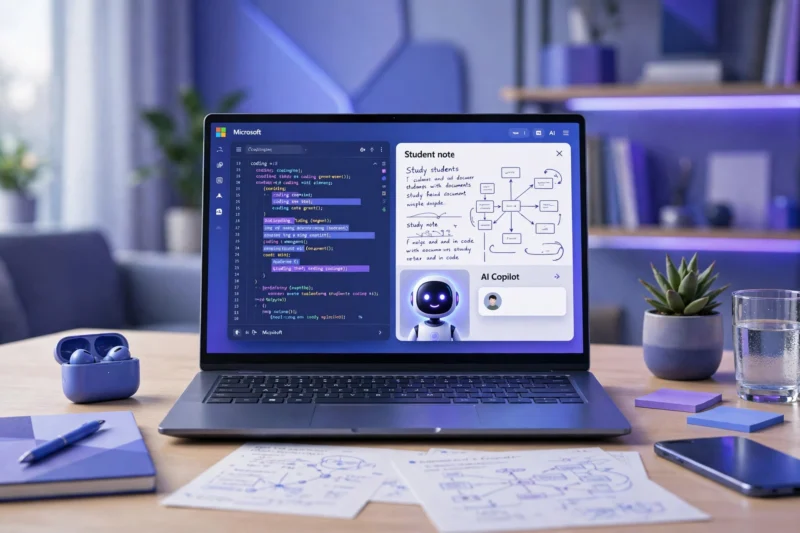
Do you use Word, Excel, or Edge daily? Then you are already sitting next to the most powerful AI assistant from Microsoft. In this guide on what is Copilot AI, you will learn how it works and 7 powerful ways to use it for study, assignments, and earning in 2026.
So, what is Copilot AI in simple words? It is Microsoft’s AI assistant, like ChatGPT, but built directly inside Word, Excel, PowerPoint, Outlook, and Edge. You don’t need to open a new app. It helps you while you work.
In this complete guide, we will answer what is Copilot AI, how it is different from ChatGPT, how to use it for free, and how students can save 5+ hours every week with it.
Table of Contents
- 1. What is Copilot AI?
- 2. How Does Copilot AI Work?
- 3. Is Copilot AI Free? Copilot vs Copilot Pro
- 4. 7 Powerful Ways To Use Copilot AI For Study
- 5. How To Earn Money With Copilot AI
- 6. Copilot AI vs ChatGPT – Which Is Best?
- 7. Conclusion – What is Copilot AI?
What is Copilot AI?
What is Copilot AI? Copilot is an AI assistant by Microsoft, powered by GPT-4. It was launched in 2023. Think of it as your smart co-pilot — you are the pilot, it sits next to you and helps you write, summarize, create, and understand.
Example: You have a 50-page PDF for your exam. Instead of reading all of it, you ask Copilot: “Summarize this in 10 easy points.” In 10 seconds, you get your summary. That is the power when you understand what is Copilot AI.
You can use it on the official Microsoft Copilot website for free, or inside Edge browser.
How Does Copilot AI Work?
Now that you know what is Copilot AI, let’s see how it works in real life:
- In Word: Type “Write an essay on pollution” and Copilot writes a full draft.
- In Excel: Ask “Make a chart from this data” and it creates it automatically.
- In PowerPoint: Say “Make 10 slides on Pakistan history” and it designs slides for you.
- In Outlook: Say “Summarize this long email” and it gives you 3 lines.
- In Edge: Ask about any webpage you are reading, it will explain it.
It is like having a teacher, writer, and designer inside your laptop.
Is Copilot AI Free? Copilot vs Copilot Pro
Yes, the basic version of Copilot is 100% free. You just need a Microsoft account. The free version uses GPT-4 and can do most study work.
Copilot Pro ($20/month) gives you faster speed, priority access, and Copilot inside Word/Excel offline. For students, the free version is more than enough to start.
7 Powerful Ways To Use Copilot AI For Study
If you are still learning what is Copilot AI, start with these 7 ways:
1. Summarize Long Notes & PDFs
Upload your PDF or paste your notes and ask: “Summarize in simple English for a 10th class student.” You will save 3 hours daily.
2. Make Assignments & Essays
Don’t copy-paste. Ask Copilot: “Give me an outline for my assignment on Climate Change.” Then write in your own words. This is smart study, not cheating.
3. Learn Any Topic Like a Teacher
Ask: “Explain Photosynthesis like I am 12 years old.” Copilot will explain with examples. This is perfect for weak subjects.
4. Practice MCQs & Quizzes
Ask: “Make 20 MCQs from this chapter with answers.” You get instant practice for exams. Combine this with Perplexity AI for research.
5. Fix Grammar & Improve English
Paste your essay and ask: “Fix my grammar and make it professional.” Your English will improve fast.
6. Make Presentations in 5 Minutes
Ask Copilot in PowerPoint: “Make 8 slides on Artificial Intelligence.” You get design + content ready.
7. Learn Coding & Excel Formulas
Ask: “Write Excel formula to find average” or “Explain Python loop in simple words.” Copilot is best for computer students.
How To Earn Money With Copilot AI
Once you know what is Copilot AI, you can earn too: Offer assignment help, resume writing, presentation design, or social media content services on Fiverr using Copilot + ChatGPT. Many students earn $100-$300/month from these small services.
Copilot AI vs ChatGPT – Which Is Best?
ChatGPT is best for creative writing and brainstorming. Copilot is best if you already use Microsoft Word, Excel, and Edge, because it works inside them. For students with a laptop, Copilot saves more time. For mobile users, ChatGPT is easier. Best strategy: Use both.
Conclusion – What is Copilot AI?
So, what is Copilot AI in one line? It is Microsoft’s free AI assistant that helps you study faster, write better, and work smarter inside the apps you already use.
Now that you know what is Copilot AI, start today: Go to copilot.microsoft.com, ask your first question, and summarize one chapter. That one step will save you 5 hours this week.
Your Turn: Will you use Copilot for study, assignments, or earning? Tell us in the comments.
Read Next: What is ChatGPT? and What is Gemini AI? — compare all 3 and choose your best study partner.